Chapter operations software
Your community is bigger than your membership.
myChap tracks all of it. Guests, first-timers, members, volunteers, board.
- Free plan with all six modules
- No credit card
- No setup fee
The engagement ladder
Everyone in your community sits somewhere on this line.
myChap knows where every person in your community stands with the chapter, and what would bring each of them one step closer. Most of them are not members yet.
- Guest
Someone who has heard of you, but owes you nothing.
With Guest Access, a guest finds your chapter’s public page or a program link, sees what the board has chosen to open up, and registers with an email and a one-time code, with no password to set. From that moment they exist as a person on your records rather than a name on a sign-in sheet.
What myChap does here
- Public chapter page · no login wall
- Guest registration on open programs
- Knowledge Library materials, where the board opens them to guests
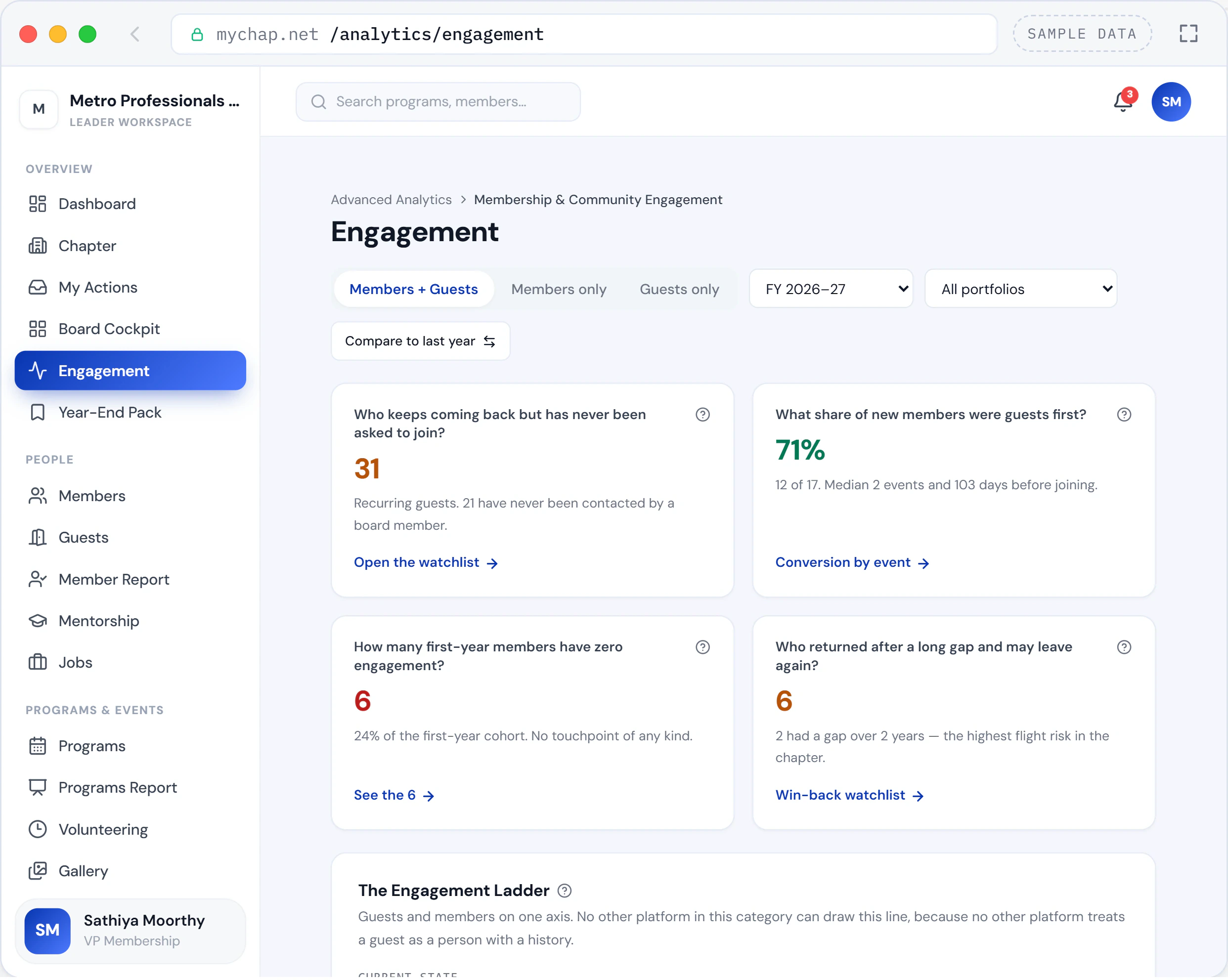
01The Engagement screen: recurring guests nobody has asked to join, and how many new members were guests first. - First visit
They showed up. Now there is something to build on.
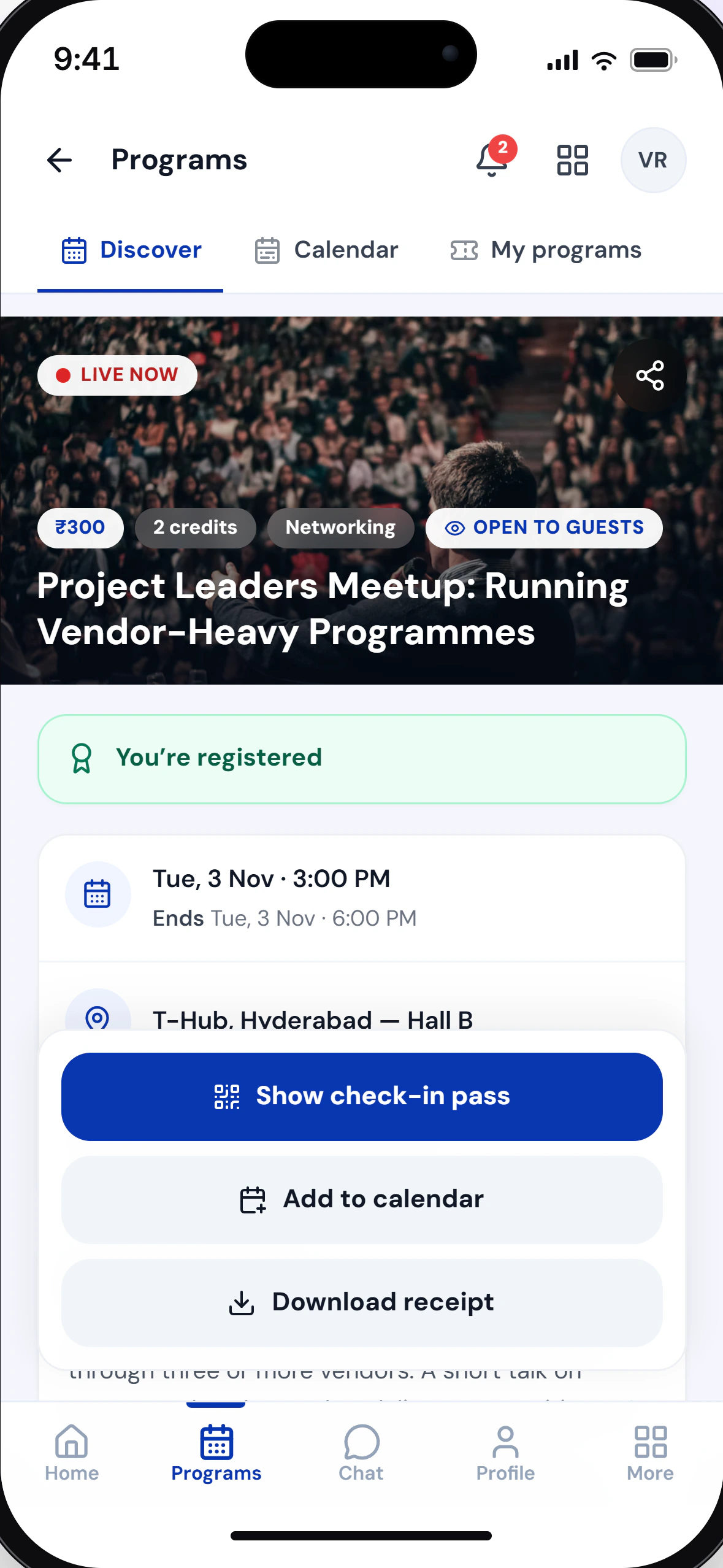
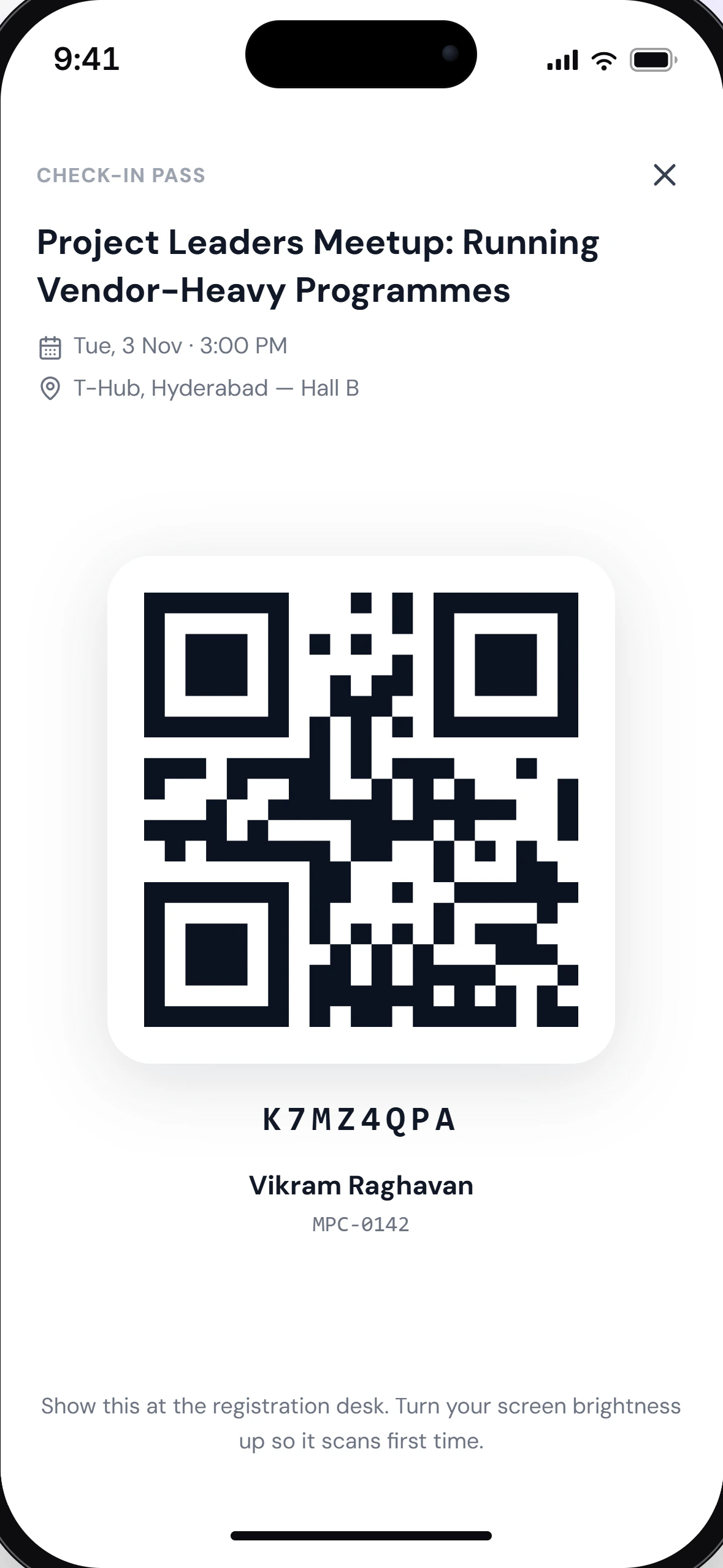
A QR pass checks them in with one scan, and the visit is recorded against the person rather than only against the event. Attendance history starts here, and it never has to be reconstructed afterwards.
What myChap does here
- QR pass issued on registration
- Check-in by camera scan or typed code
- First visit recorded against the person
- First-time and recurring guests told apart
02QR check-in at the registration desk. - New member
When they join, nothing about them starts from zero.
People join a chapter for their own reasons: a certification, a career move, a colleague’s nudge. Whenever it happens, the guest record becomes the member record: same person, same history, no re-entry and no gap in the file.
What myChap does here
- Guest promoted to member on the same record
- Tenure tracked · continuous and lifetime
- Credits earned as a guest still count after joining
- Role and membership status tracked separately
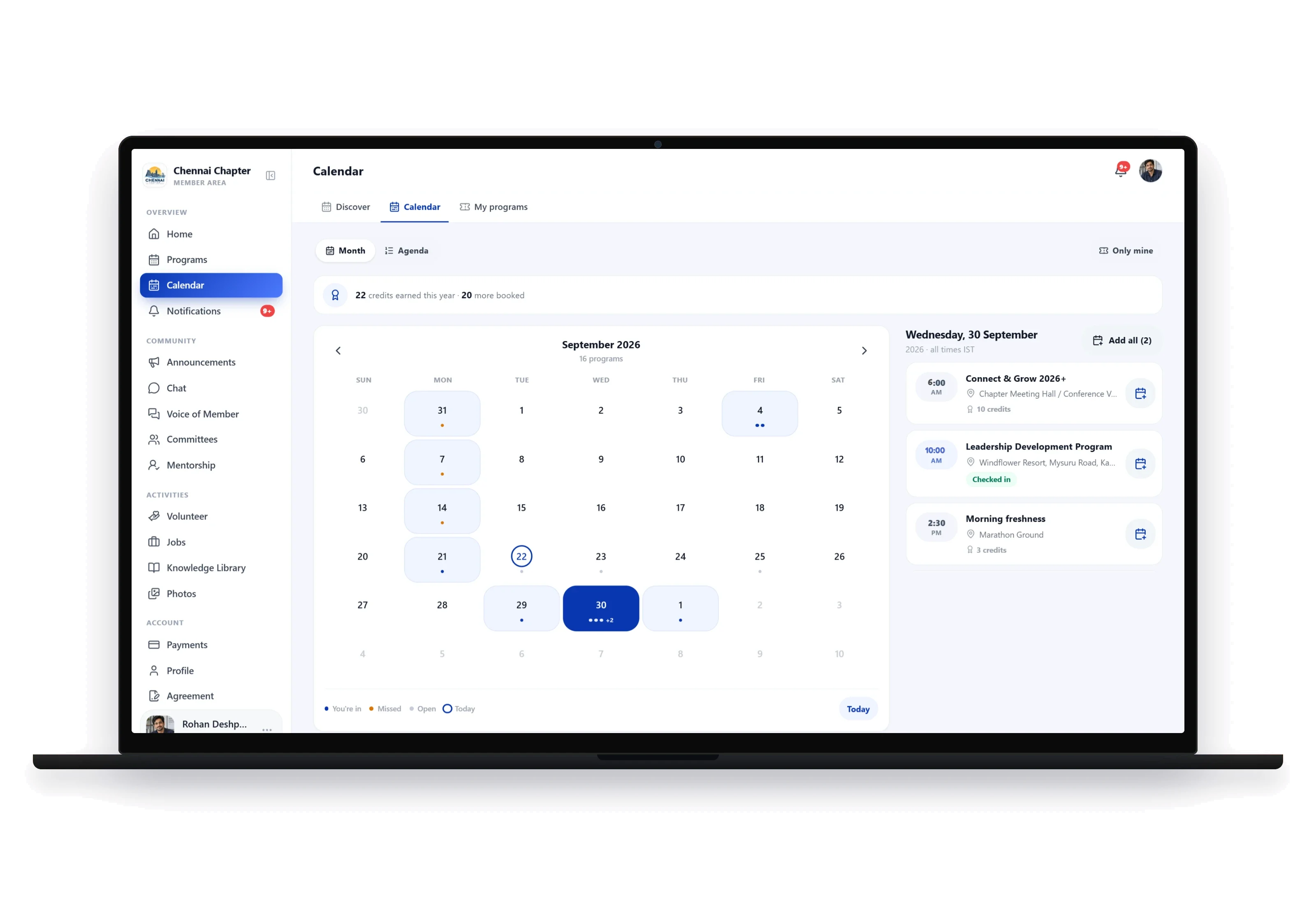
03The member calendar: a month of programs beside the selected day’s agenda and credits. - Engaged member
Attendance becomes a habit rather than an event.
An engaged member attends regularly, gives feedback, watches recordings in the Knowledge Library and speaks up through Voice of Member. The board reads that pattern in one view instead of assembling it from five places.
What myChap does here
- Voice of Member feed and board reply
- Knowledge Library and recorded sessions
- Mentoring, as mentor or as mentee
- Announcements to leaders and members, in-app
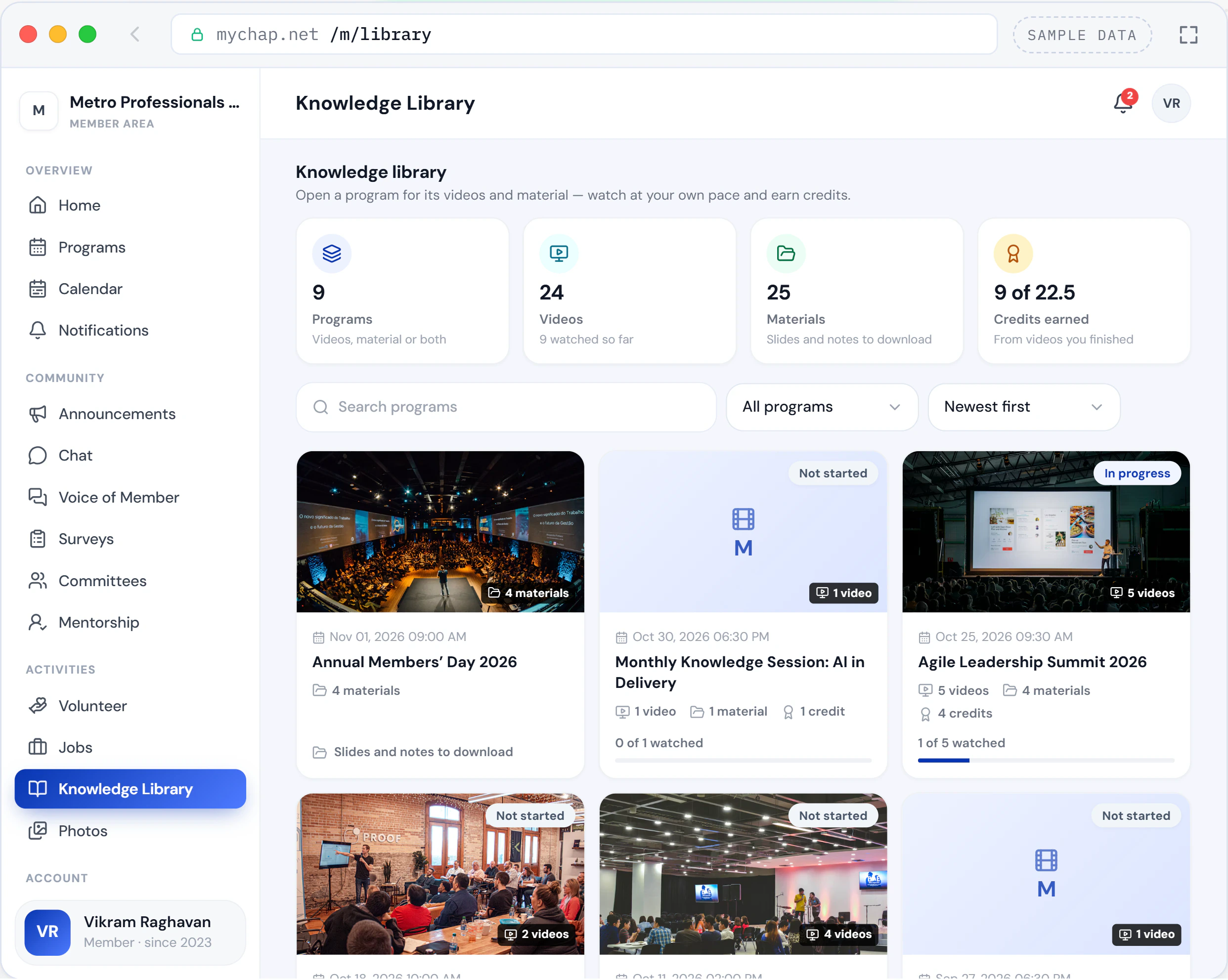
04The member’s Knowledge Library: programs with their recordings and materials, and the credits earned from watching. - Volunteer
The moment a member starts giving time back.
Hours are logged against real program assignments, self-logged hours go through approval, and badge tiers make recognition automatic rather than something the board reconstructs in December.
What myChap does here
- Allocation to program roles
- Hours logging with leader approval
- Badge tiers earned as hours accumulate
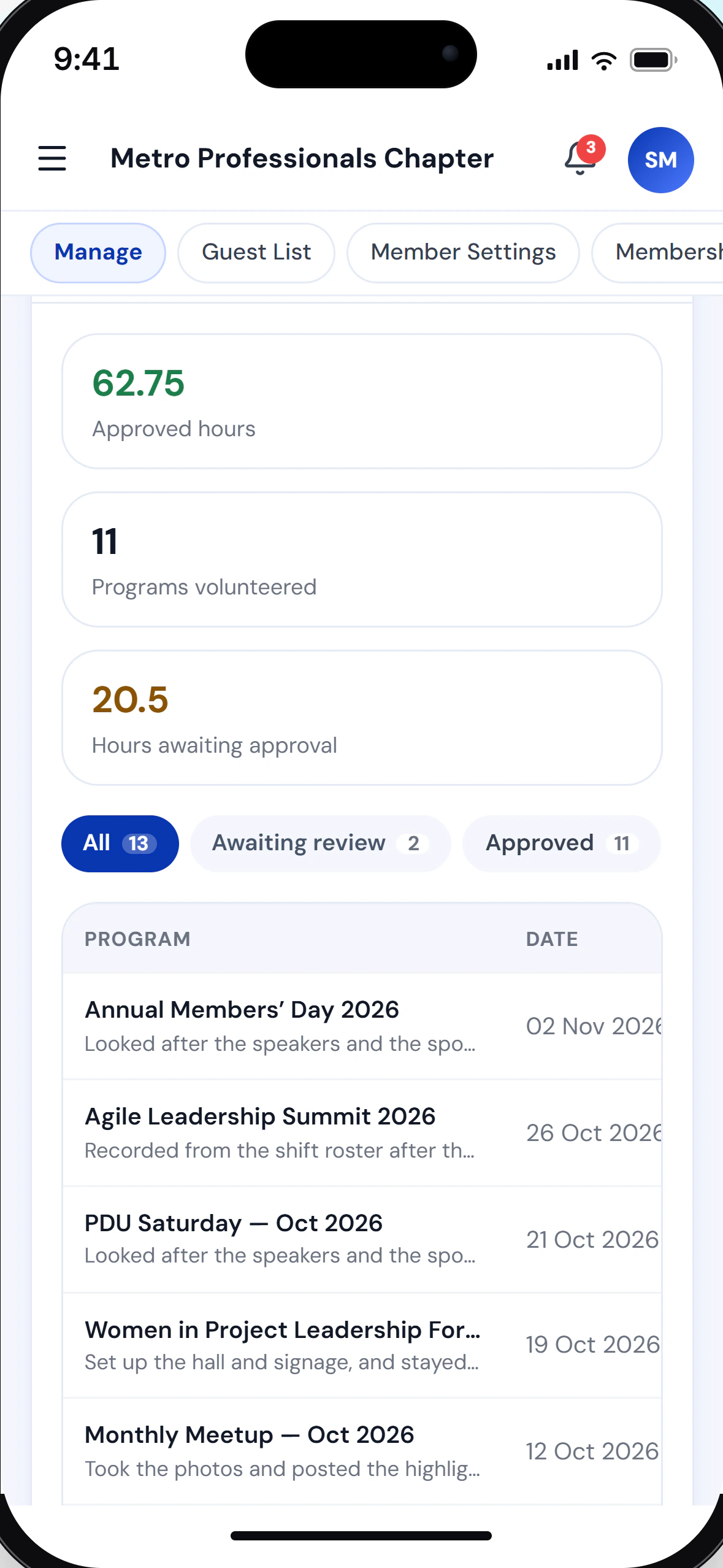
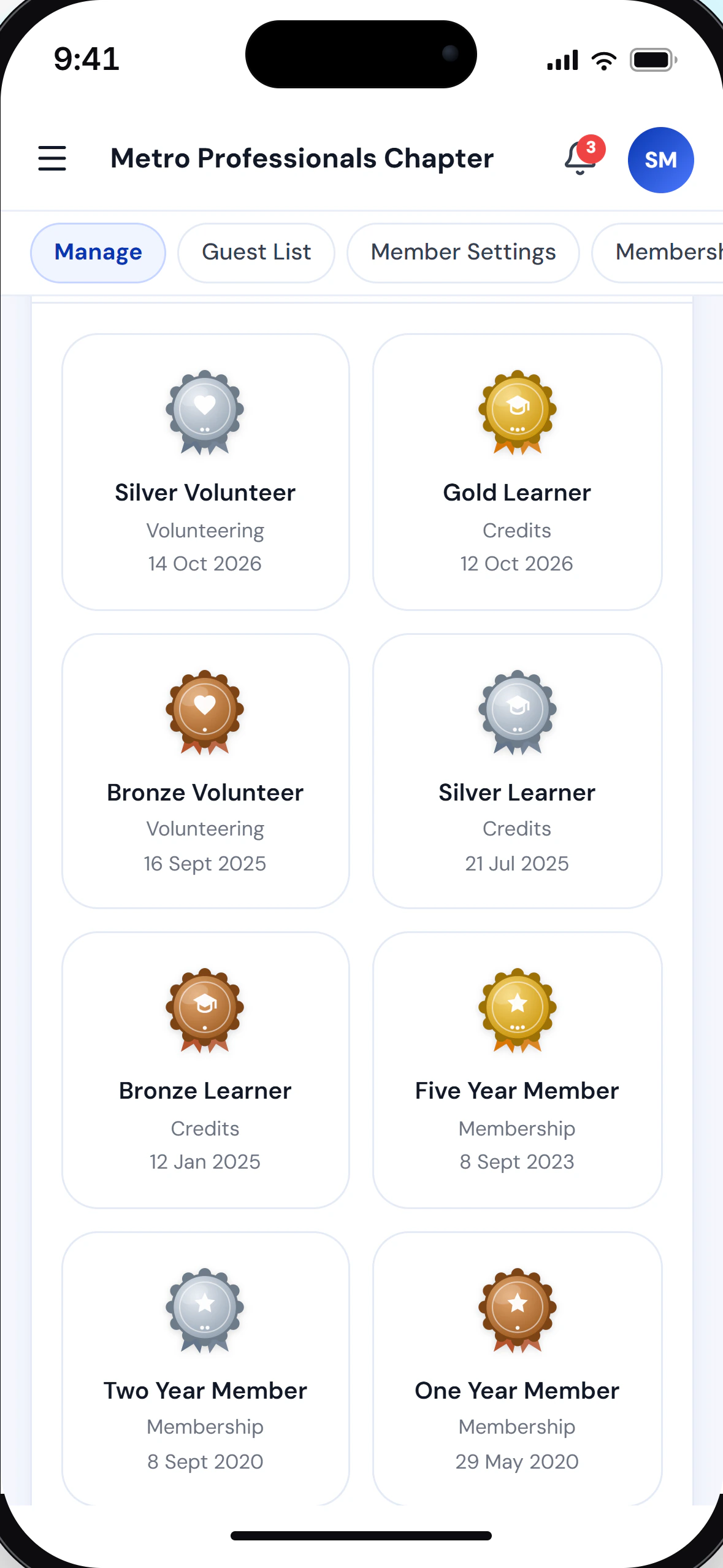
05A member’s volunteer hours, approved and awaiting review, and the badges they have earned. - Board
Where volunteer hours become an eligibility record.
Board tenure, portfolio history, minutes, action items, and budget per portfolio: the governance work that consumes a Secretary’s and Treasurer’s evenings, and that a membership list alone never captures.
What myChap does here
- Board tenure and portfolio history
- Minutes and action items to closure
- Budget planning and revision per portfolio
- Year-end report, annotated and exportable
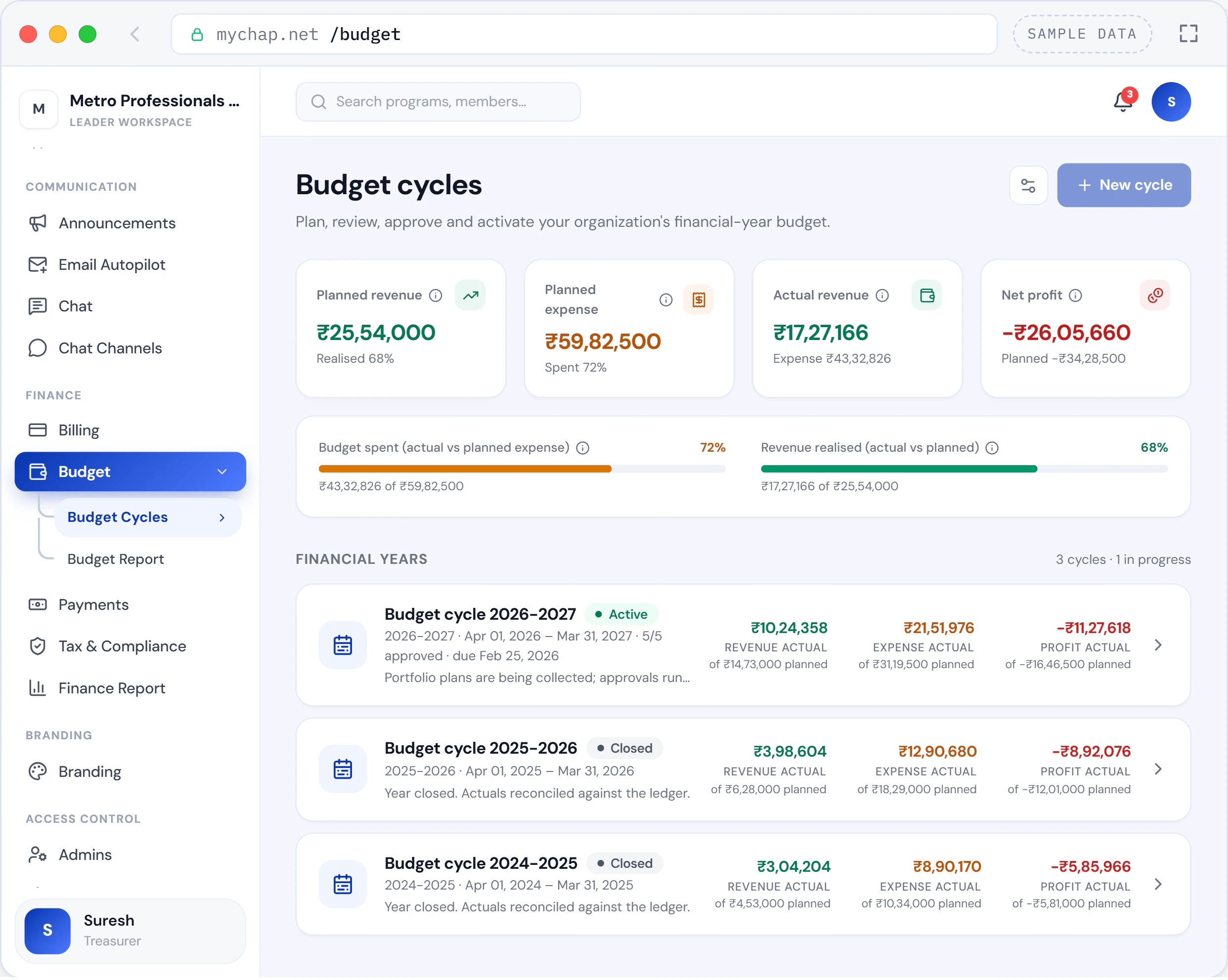
06Budget cycles: each financial year’s plan against actuals, with this year’s approvals in progress. - Lapsed
The rung most chapters stop looking at.
A lapsed member is not a deleted row; it’s your warmest possible win-back. myChap keeps the full history, flags who’s drifting before renewal is due, and hands the board a watchlist instead of a post-mortem.
What myChap does here
- Lapsed and dormant member reports
- Start and end dates on every membership term
- Full history preserved, so a rejoin is not a new file
- Lapsed members ranked by past engagement, marked call or email
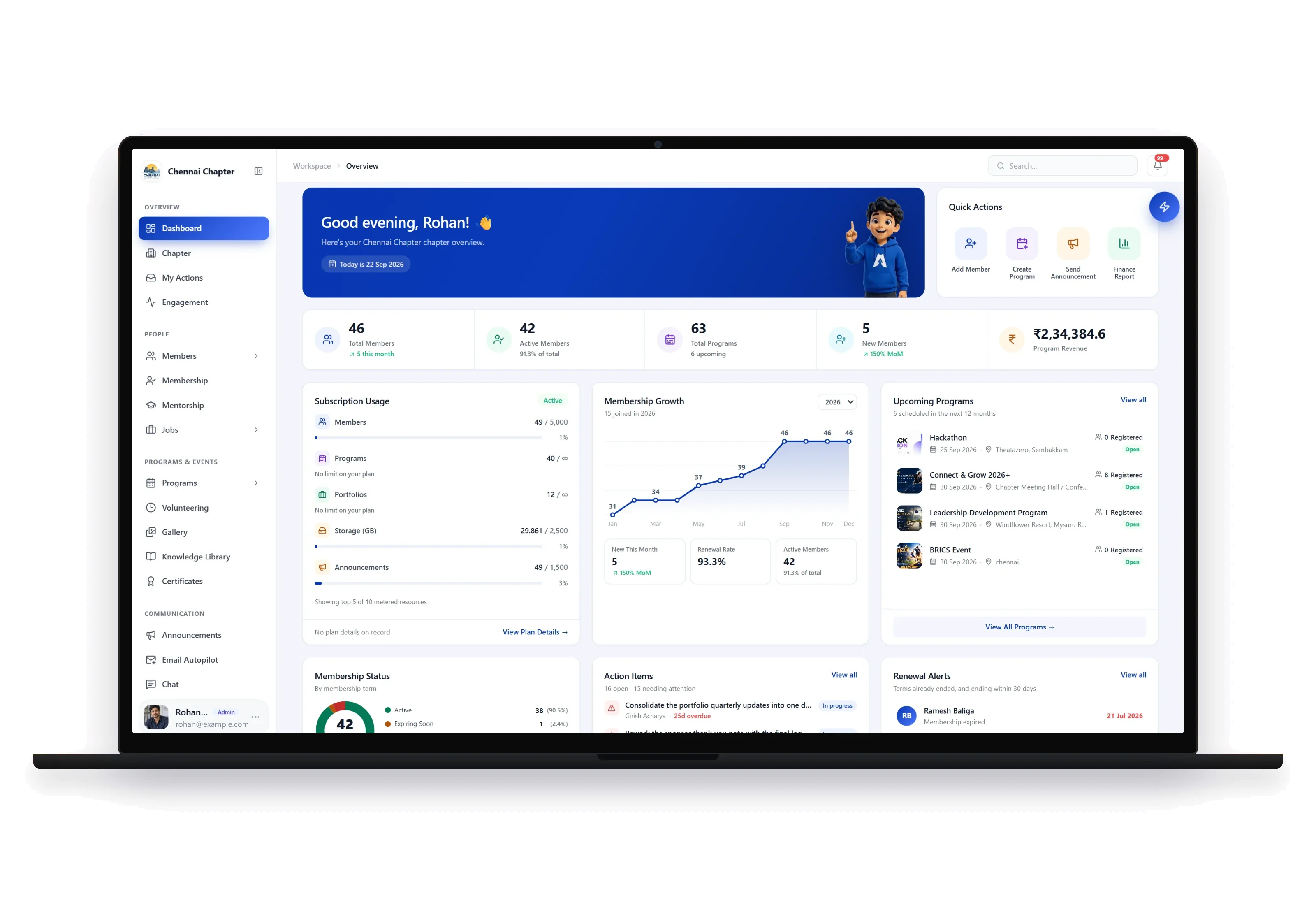
07Workspace overview: membership, programs, revenue, action items and renewal alerts on one screen.
Every chapter is run by people who already have full-time jobs. myChap is built to fit the time they actually have.
Capabilities
One platform, every part of chapter life.
Three workflows that fill a board’s month. Each one shown as it actually runs, not as a diagram of how it might.
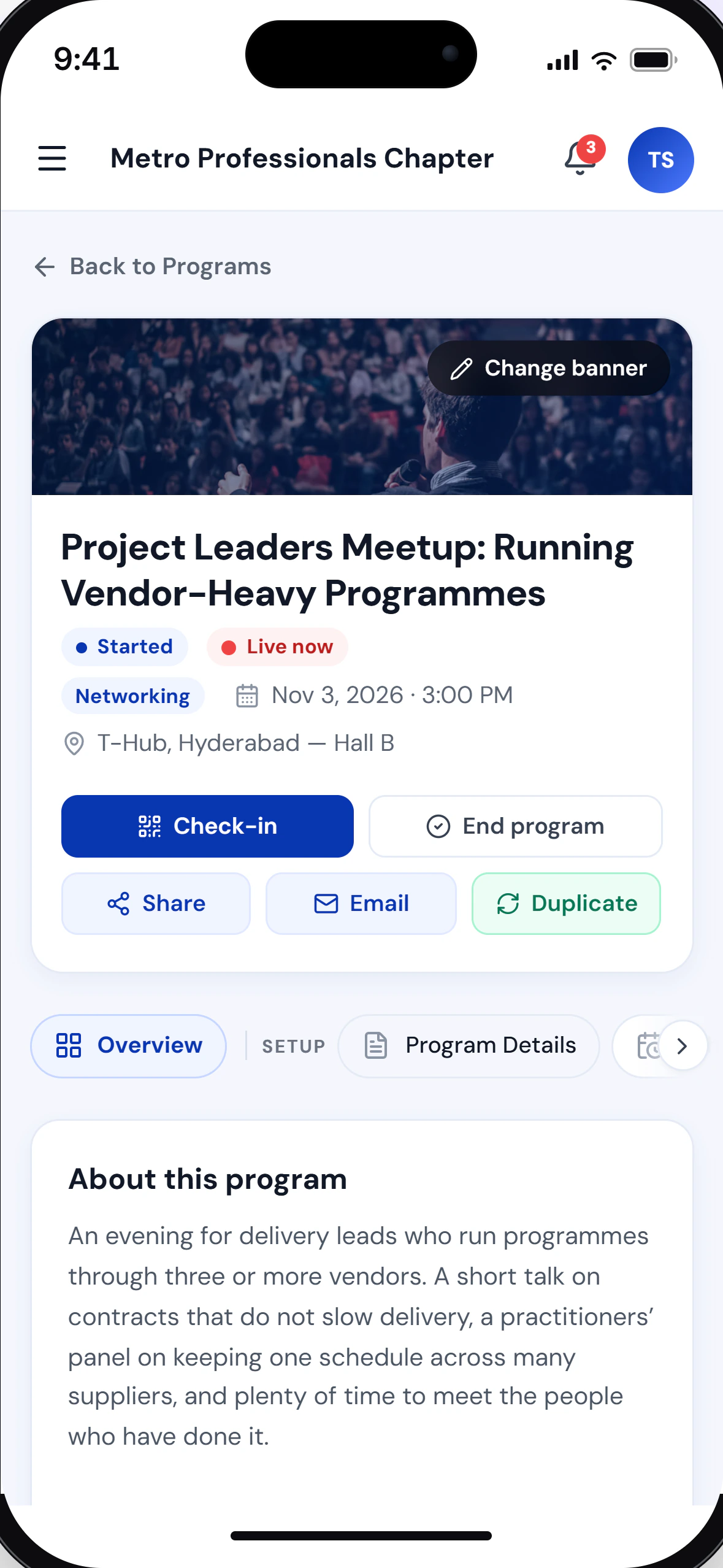
Events & attendance
From draft to attendance report in one workflow.
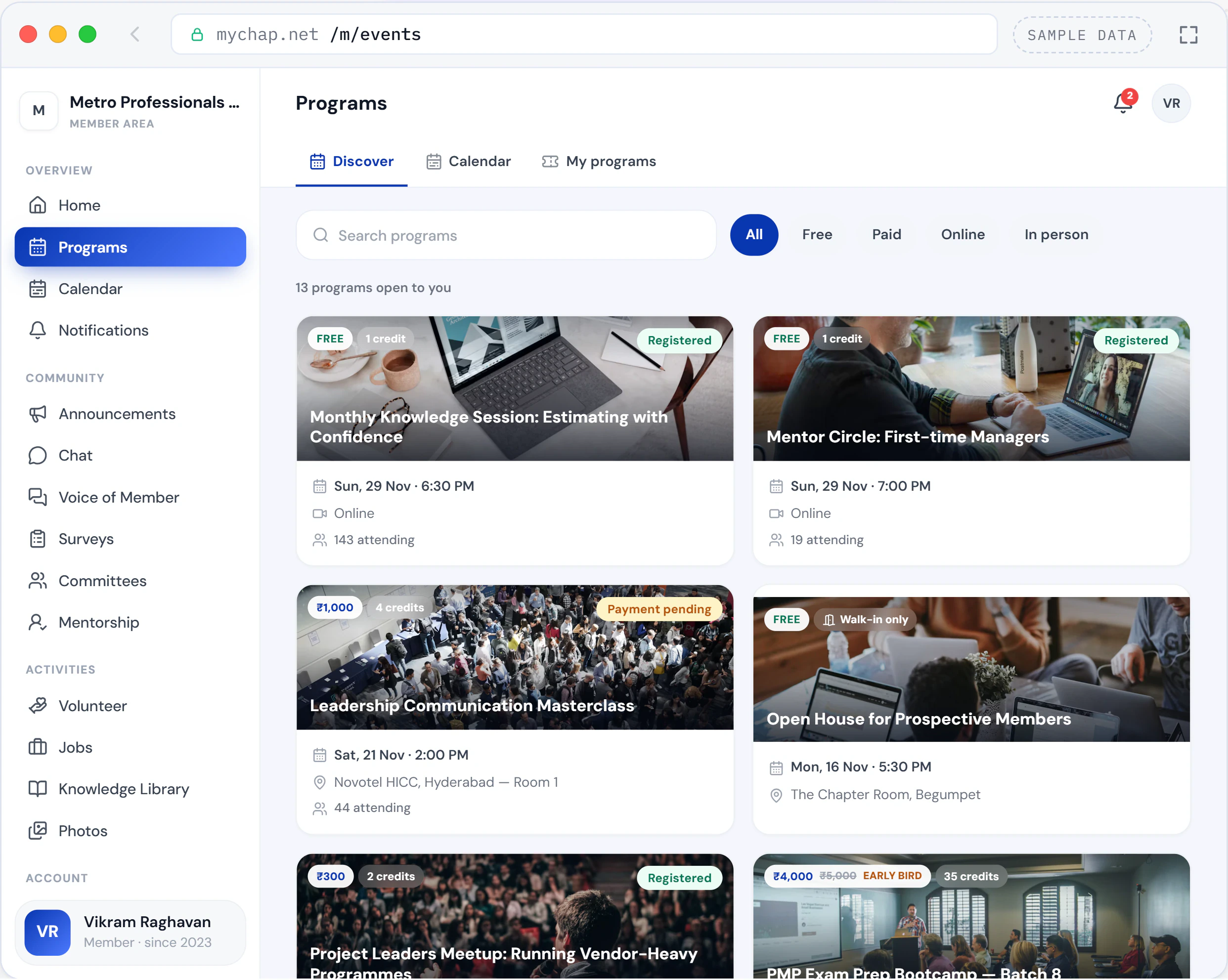
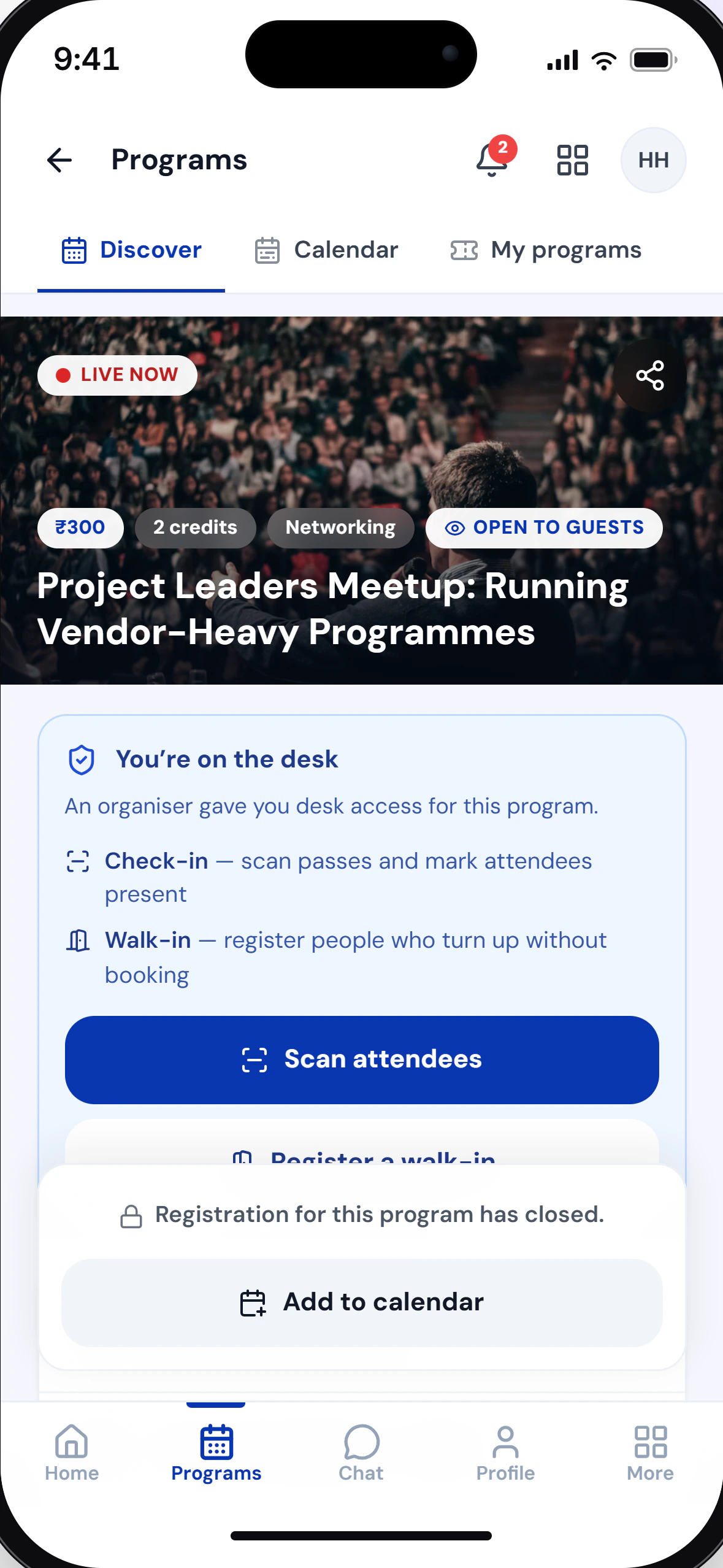
Publish a program, take registrations and payments, check people in by QR pass, and have the report ready the moment doors close.
- Free and paid programs with capacity control
- Refunds and cancellations on record, with a credit note for each refund
- Credits posted on attendance, automatically
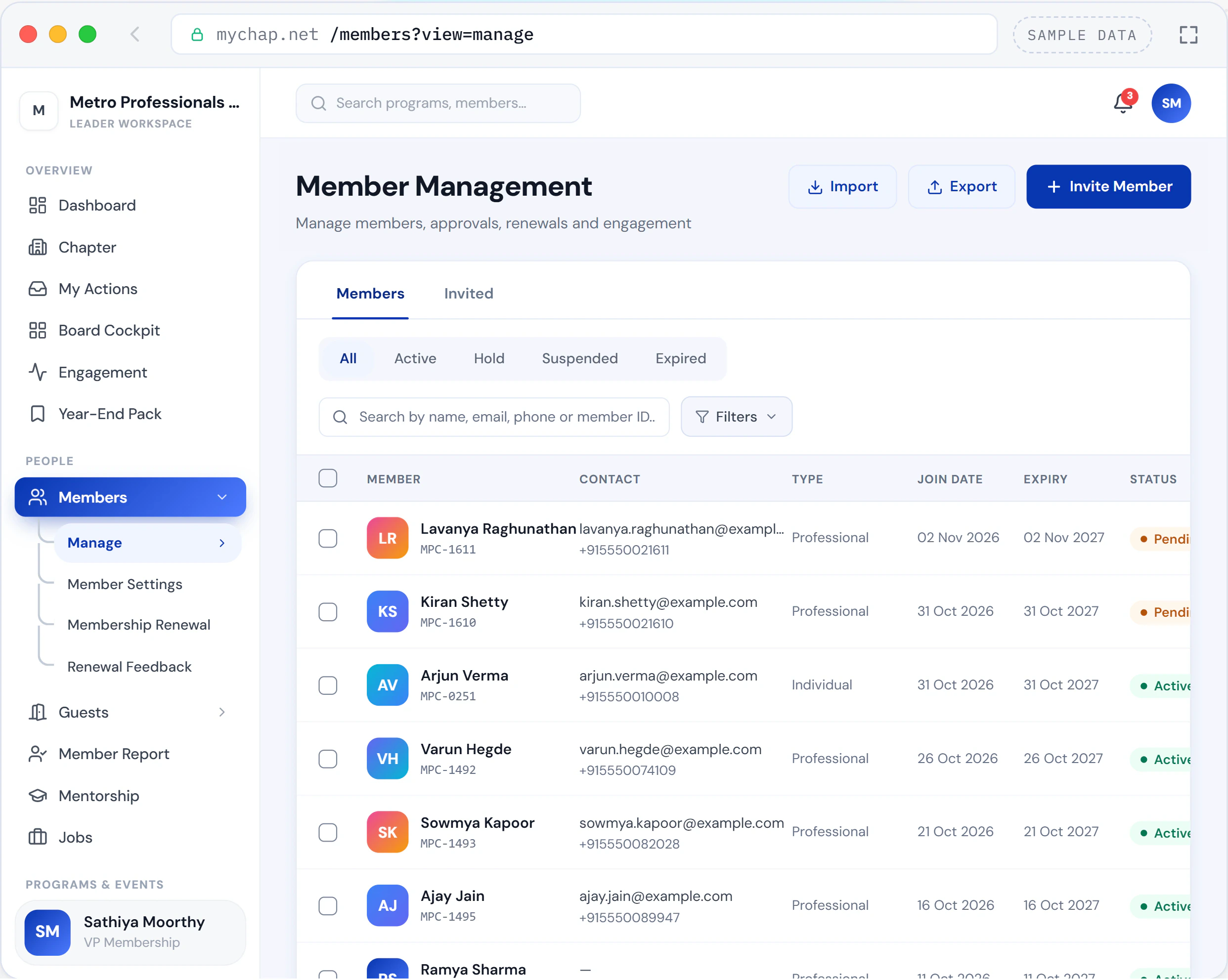
Community & membership
One record per person, from first guest visit to fifth renewal.
Import the sheet you already keep. Tenure, credits and participation build themselves from there. And the size of your community, against the size of your membership, becomes a number rather than a feeling.
- Bulk import, mapped rather than mangled
- Renewal reminders that fire without anyone remembering
- Lapsed and at-risk watchlists, ranked
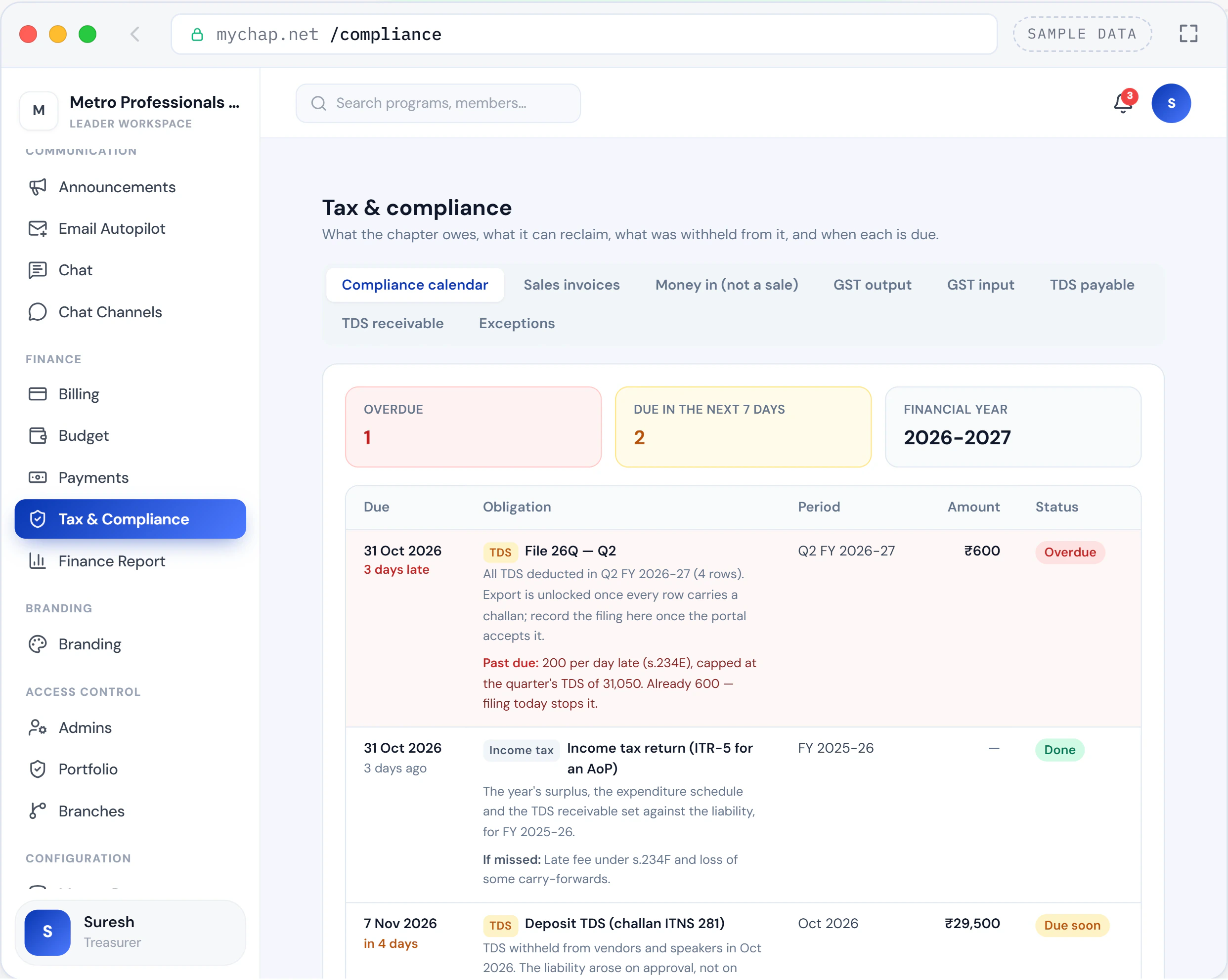
Finance & budgets
From GST invoice to credit note, with no manual handoff.
Registrations, refunds, reimbursements and vendor payments land in one ledger, beside a register of what is still waiting to be paid.
- Invoices, credit notes and payment vouchers, each in its own numbered series
- Cancellation triggers the credit-note chain end to end
- Reimbursement and vendor approvals inside the platform
Who it is for
A desk for every portfolio.
These are typical seats. Your chapter names its own portfolios and decides what each one may see and do.
President
Sees the whole chapter on one page and decides who runs what.
- Board Cockpit: headlines from the main reports, and what changed
- Admins appointed and ownership handed over, on the record
- Branch programs approved, sent back or rejected
Secretary
Keeps the record the next board will inherit.
- The member agreement published, signatures tracked, renewals reminded
- Minutes with attendance, emailed to those who attended
- Succession notes for each portfolio, against the chapter’s term limit
Treasurer
Reconciles from one ledger, not a spreadsheet beside it.
- Vendor and speaker bills with TDS worked out, and reimbursements
- GST and TDS registers, 26Q and GSTR-1 exports, Form 16A tracking
- A finance report of collections, refunds and payments
Membership lead
Knows where every member stands, and who to call next.
- Member ID prefix and term length, set once
- Renewals with a grace period and on-hold rules
- Feedback from members who chose not to renew
Programs lead
Runs the program, not the paperwork around it.
- Member and early-bird prices, promo codes, guest prices with Guest Access
- Walk-ins pay at the desk on their own phone
- Attendance, no-shows and profit and loss per program
Members and guests
Everything the chapter offers them, in one place.
- Certificates anyone can verify online
- Mentorship, surveys, Voice of Member, and jobs with the Job Portal
- One account for every chapter they belong to
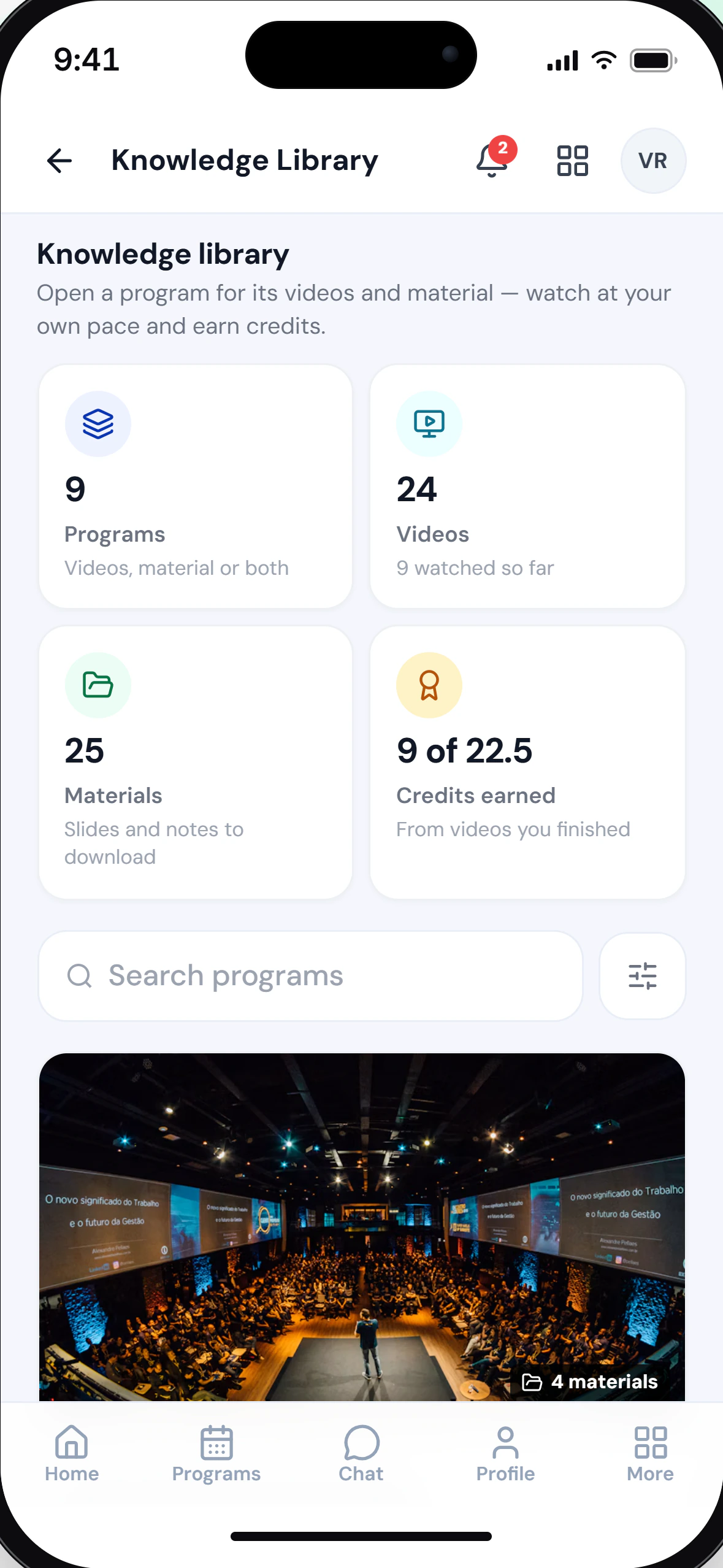
On every phone
Your chapter, in every pocket.
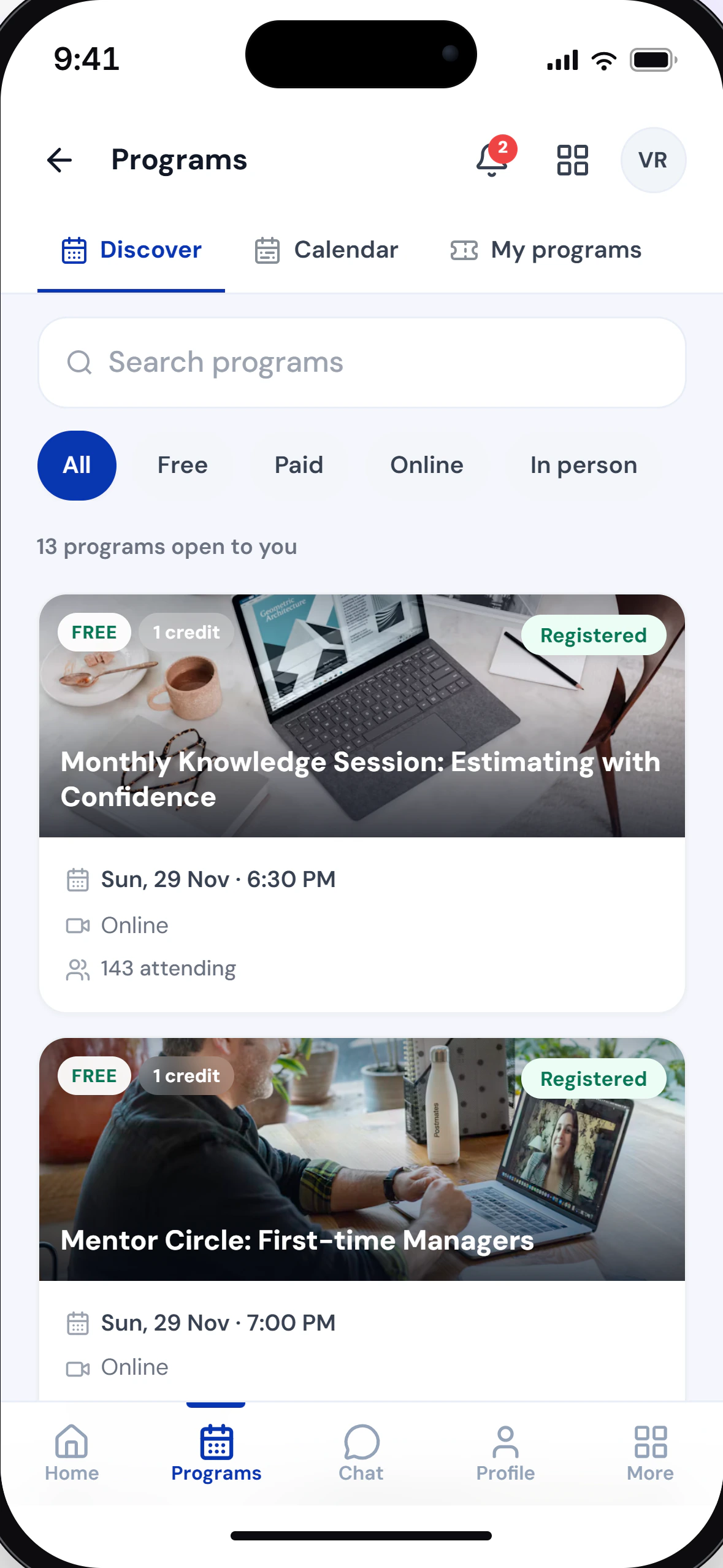
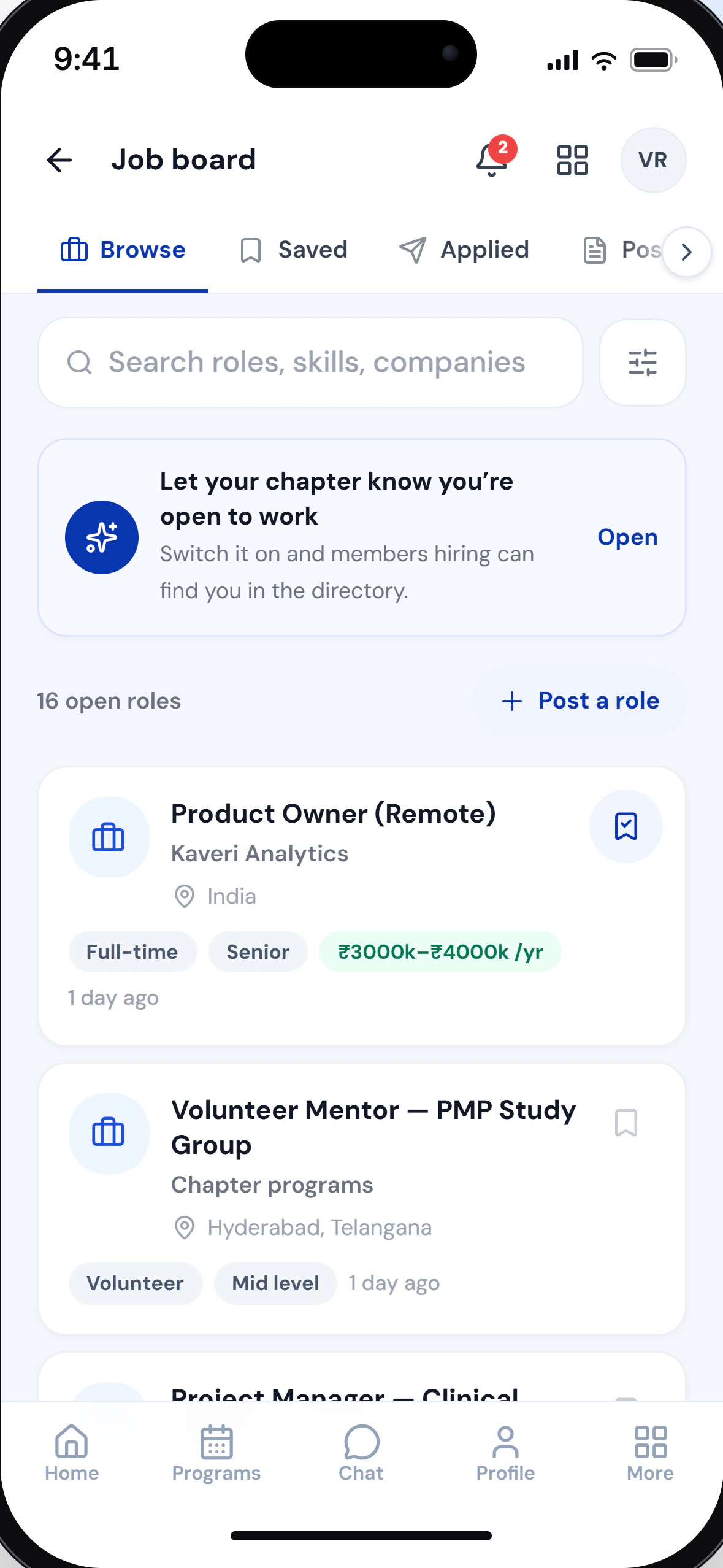
The member portal runs in any phone browser and can be added to the home screen like an app.
- Register and pay for programs from the phone
- The QR pass ready at the door
- Credits, certificates and badges in one place
- Notifications the moment something changes
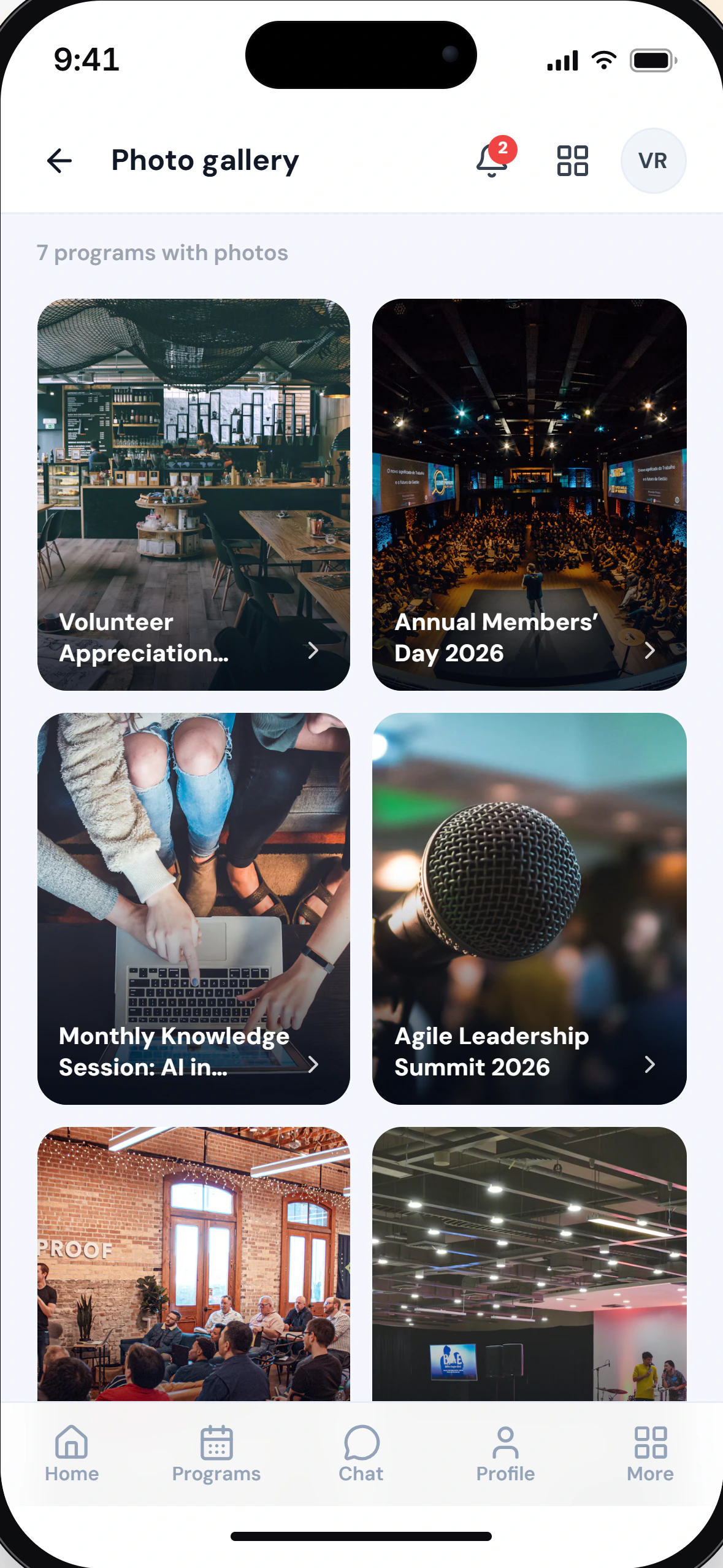
- Recordings and photos from the chapter’s programs
Getting started
From sign-up to your first program.
Your board can set it up on its own, and the Free plan runs on your own chapter from the first step.
- No credit card
Register your chapter
Create your account, verify your email and add your chapter’s details, then start on the Free plan or choose a paid one.
Bring in your members
Upload a CSV or Excel sheet. Every row is checked before anything is saved, and skipped rows are listed in a file with the reason for each.
Set up your board
Create portfolios with the names your chapter uses, and give each one the rights it needs.
Plan, then publish
With Financial Management on, as it is on the Free plan, approve the year’s budget first. Then publish a program against it, with its prices and capacity.
Why this exists
Five years on a chapter board taught me that the work is not the hard part. Keeping any record of it is.
- FreeTo start, on your own chapter, with all six modules switched on
- 1 recordPer person, from a first guest visit through to board tenure
- 0Setup fees or migration charges
Questions
Questions before you start.
About the product. Plans and prices are covered in a 20-minute demo.
Rather talk it through?
A 20-minute walkthrough on a sample chapter, with your questions answered.
Book a demoor write to hello@mychap.net
How does program money reach the chapter?
Fees are collected through Razorpay and paid out to the chapter’s verified bank account, after refunds and a platform fee are deducted.
Can guests register without an account?
Yes, with Guest Access. On a program’s own page, opened to guests, a guest confirms their email with a six-digit code, answers your questions and pays online, with no password to set.
What happens if we cancel a program?
Cancelling the whole program starts a full refund for every paid registration, and each refund is matched by a credit note.
Can one person belong to more than one chapter?
Yes. One account lists every chapter they belong to, and each chapter keeps its own profile, password, records and permissions for them.
Can myChap carry our chapter’s branding?
Yes. Your chapter’s name and logo appear across the member portal, and its colours on your public chapter page and at checkout.
Rather talk it through?
A 20-minute walkthrough on a sample chapter, with your questions answered.
Book a demoor write to hello@mychap.net
Your next member is already coming to your events.
They just haven’t joined yet. Start free, and find out how many of them there are.